
Split rent and bills with roommates.
Make a group for the place. Rent, utilities, and subscriptions add themselves each month, and everyone sees the same balance on their own phone.


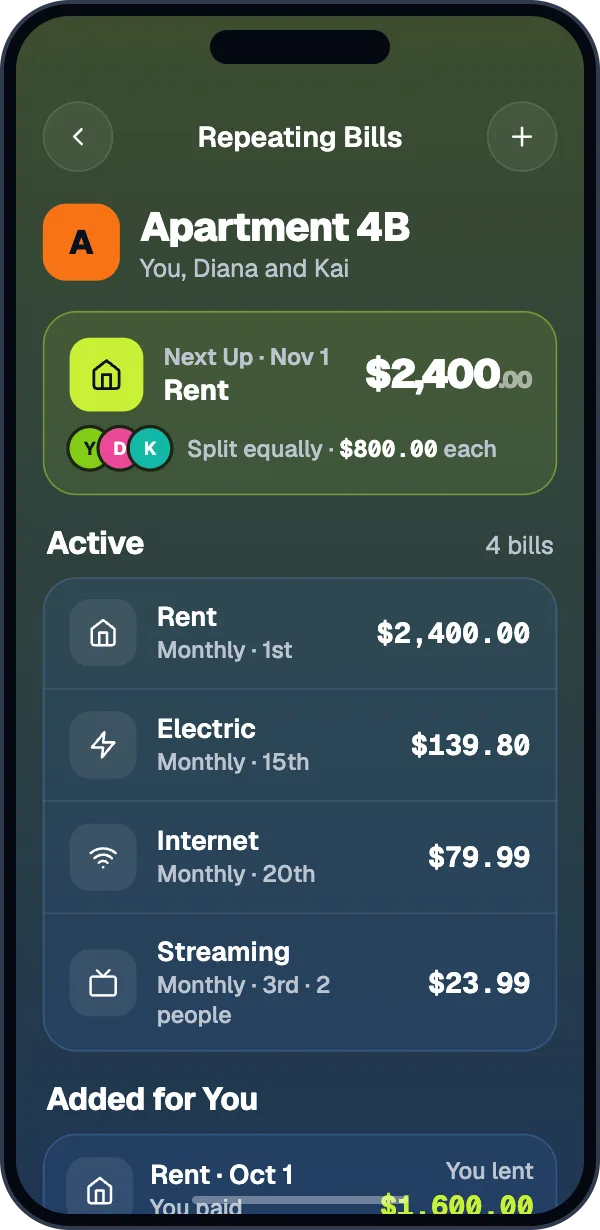
When the rooms aren’t the same.
Split rent by shares or exact amounts instead of evenly. Set it once on the repeating bill and it posts that way every month.
Rent · $2,400.00
Rent · $2,400.00
For bills that change every month.
Turn on Amount Changes Each Time for electric or gas. On the bill’s date, Splitz asks for this month’s amount, filled in with last month’s. Enter it once and everyone’s share updates.
- Splitz tells you when a bill is higher than usual.
- Skip a month and nobody owes anything for it.
- Nothing hits anyone’s balance until the amount is confirmed.
Electric · Smart Bill
The rest of the shared stuff.
Groceries by item
Scan the receipt and tap who had what. Shared items split between the people who shared them.
Bills for some of you
A streaming plan only two of you use? Split it between just those two.
Cash, Zelle, or Apple Cash
Record any payment. The person you paid confirms it arrived.
Weekly reminders
Turn on Remind Automatically and everyone who owes you gets a reminder once a week.
Why This Balance
Tap a name to see every expense and payment behind what they owe.
Settle up in one tap
Venmo, Cash App, or PayPal opens with the amount filled in.
Asked before the first expense.
How do we split rent when the rooms are different sizes?
Split the rent by shares, percent, or exact amounts. Set it on the repeating bill and it posts that way every month.
When does a repeating bill post?
At 6 AM on its date, in the group’s time zone. Owners and admins can change the time zone in the group’s Settings.
What if the electric bill is different every month?
Make it a Smart Bill. On each date Splitz asks for the amount, filled in with last time’s, and it isn’t in anyone’s balance until it’s confirmed.
What if a roommate moves out?
They settle up, then leave the group from its Settings. Nobody can leave while they owe or are owed money, so the balance is always cleared first.
Does rent go through Splitz?
No. Splitz tracks who owes what. Settle Up opens Venmo, Cash App, or PayPal with the amount filled in, and the payment happens in that app.
Split your next bill fairly.
Scan a receipt without an account. Sign in when you want a group.