
One running balance for every trip, home, and couple.
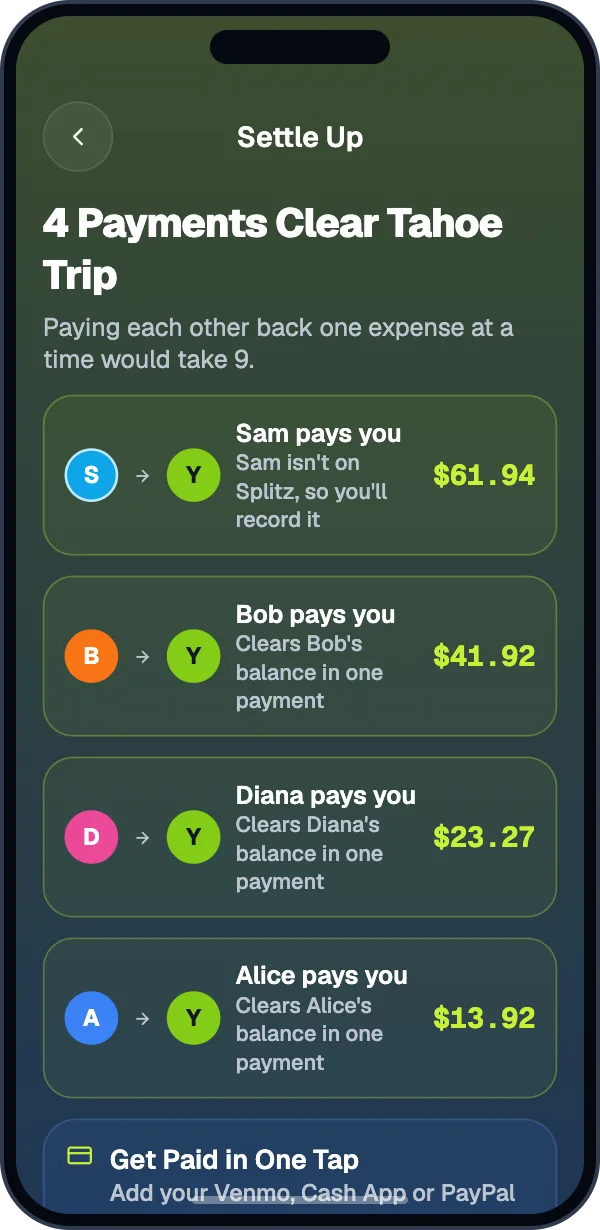
Add expenses as you go and everyone’s balance updates on their own phone. When it’s over, Settle Up shows the fewest payments that clear the group.


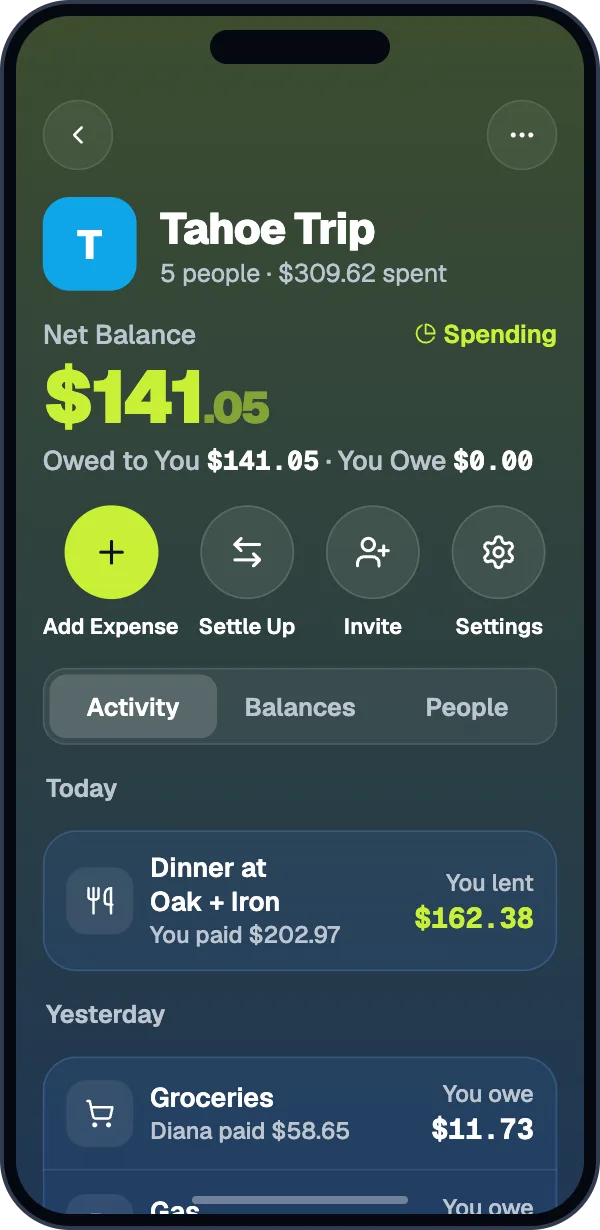
Split it the way it actually happened.
Every way of splitting is free. Set a default for the group, or pick one per expense.
Equal
Everyone pays the same share.
Amount
Type exactly what each person owes.
Percent
Give each person a percentage.
Shares
2 shares for a couple, 1 for a single.
Items
Split a scanned receipt by who had what.
By Nights
For a stay: split by the nights each person was there.
Tahoe cabin · $900.00
More than one payer
Two people split the deposit? Tick who paid and what each put in.
Refunds
A returned deposit goes back to everyone, split the way you choose.
Settle up in fewer payments.
Pay in the app you use
Venmo, Cash App, or PayPal opens with the amount filled in. Splitz never handles your money.
Record anything
Cash, Zelle, or Apple Cash. The person you paid confirms it arrived.
Why This Balance
Tap a name to see every expense and payment behind what you owe.
Request Everyone
Ask everyone who owes you at once, one Venmo request after another.
Reminders
Nudge someone once a day, or turn on weekly reminders for the group.
People not on Splitz yet
Add them by name. When they join, everything under their name becomes theirs.
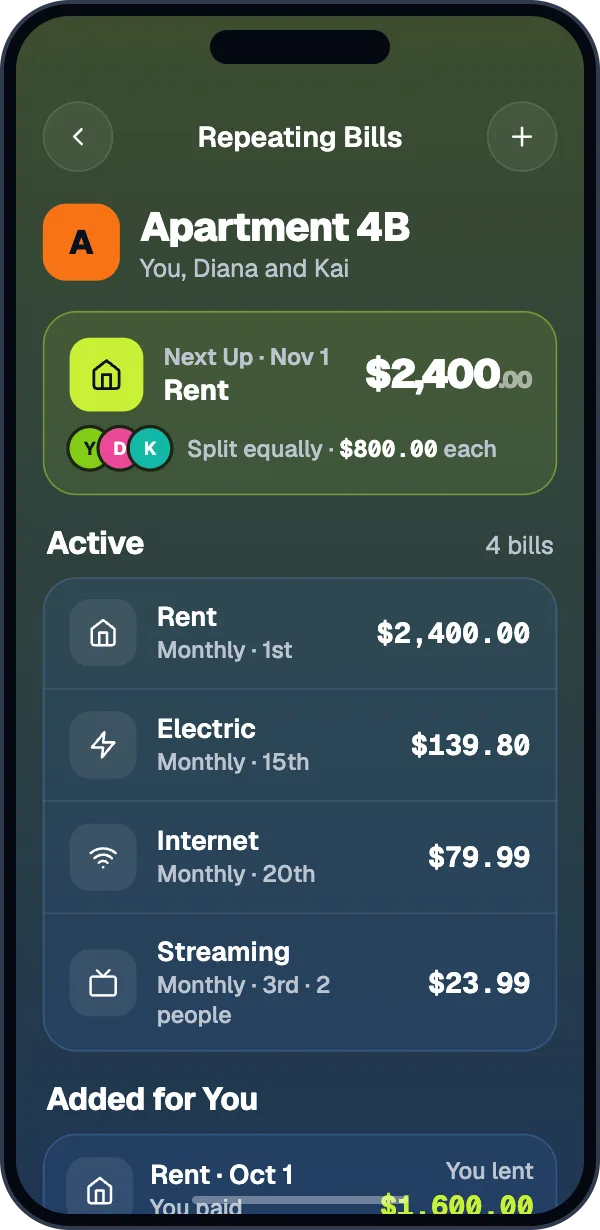
Rent and bills that repeat.
Set rent, utilities, and subscriptions once and Splitz adds them on schedule. Smart Bills ask for the amount when it changes each month.
- Skip a month without touching the rest.
- 3 repeating bills free, unlimited with Pro.
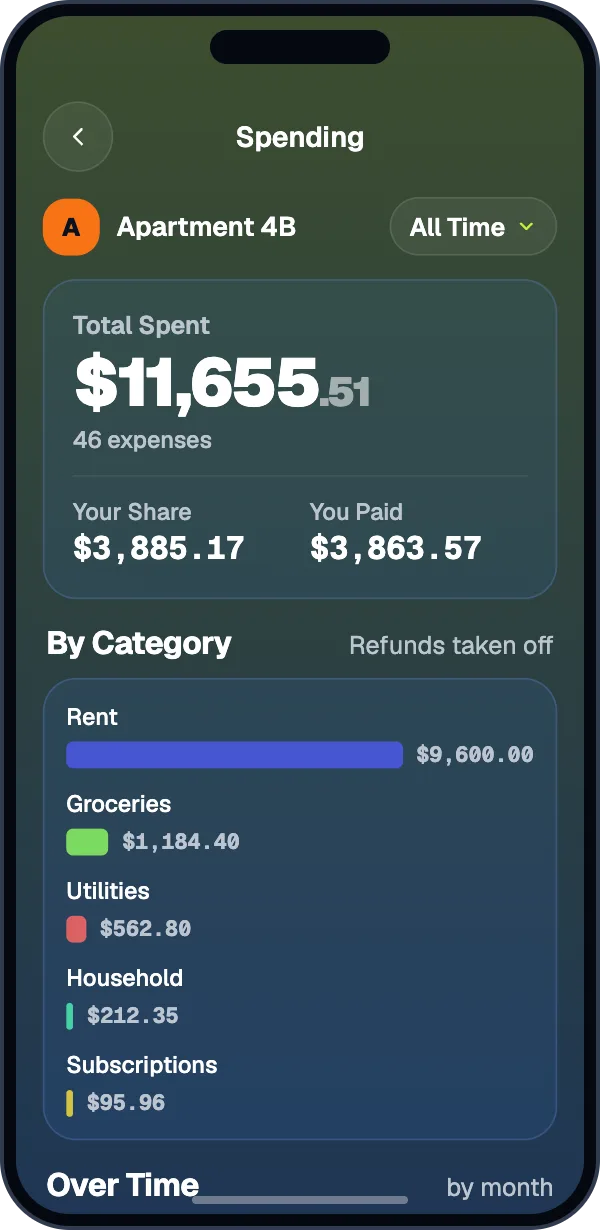
See where it all went.
Charts by category and month for every group, and a Trip Recap when the trip is over.
- With Pro or a Trip Pass.
More in every group.
Any currency
Each group has a currency. Other currencies convert at that day’s rate.
Works offline
Add expenses anywhere. Changes sync when you’re back online.
Widgets and Siri
Balance widgets on iPhone and Android, plus Siri shortcuts on iPhone.
Comments and history
Talk about an expense and see every edit.
CSV export and import
Export a group as a spreadsheet, or bring one over from Splitwise.
Six languages
English, Spanish, French, German, Italian, and Portuguese.
Split your next bill fairly.
Scan a receipt without an account. Sign in when you want a group.