
Split a receipt the moment it lands.
Open Splitz and scan. Tap who had what, and each person’s total includes their share of the tax, tip, and service fee. Receipts you split while signed out stay on your phone.


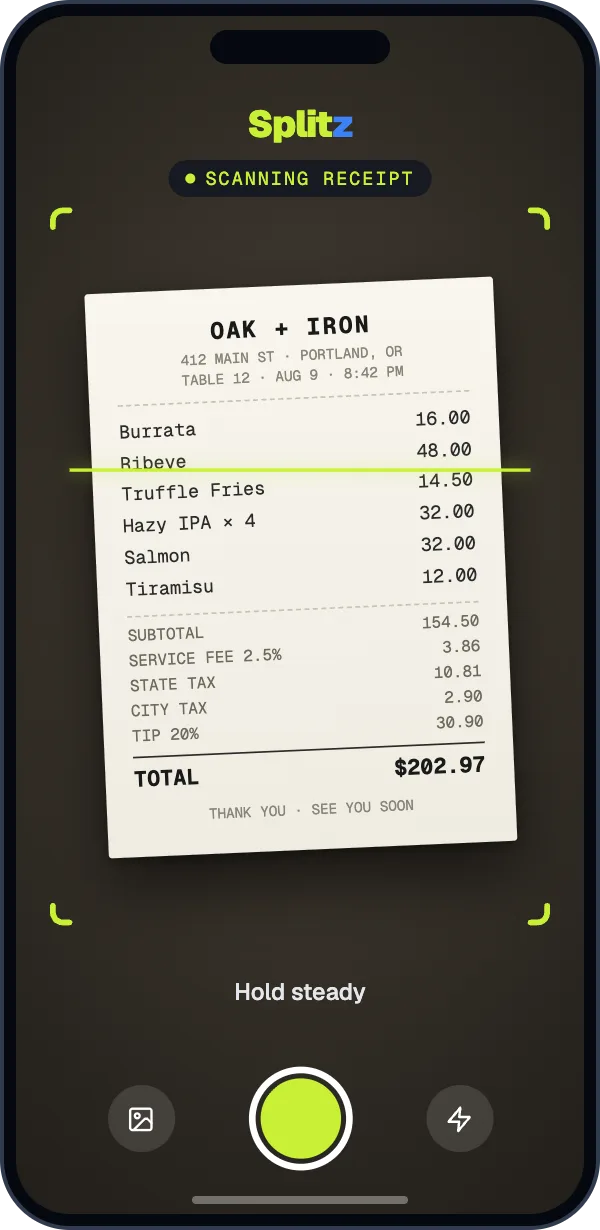
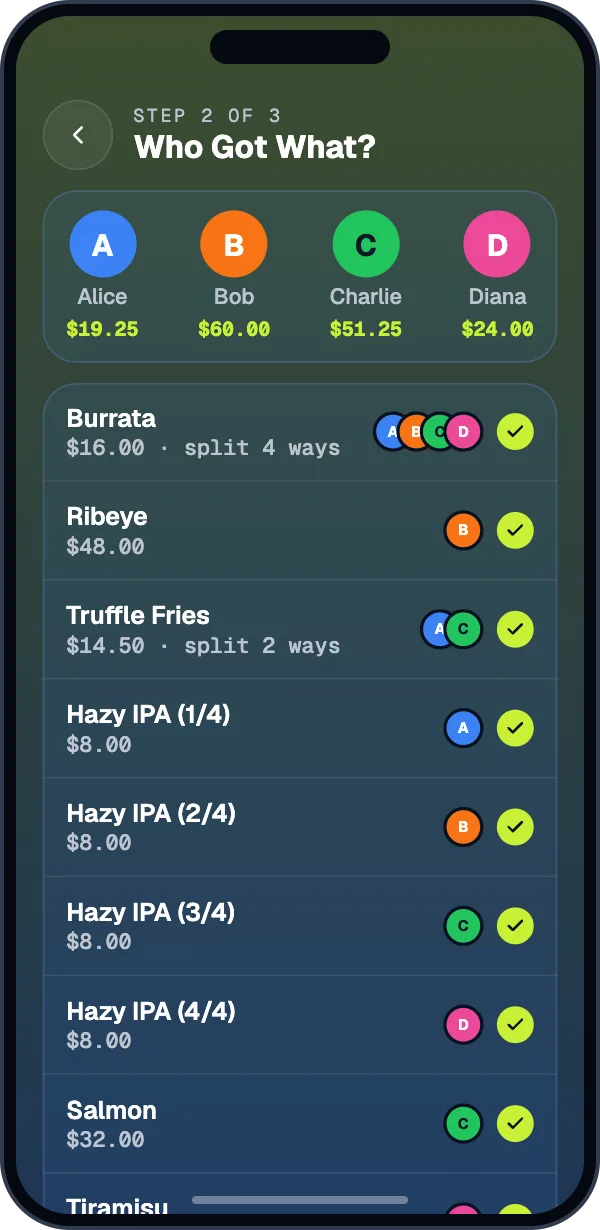
Three steps from receipt to request.
Snap the receipt.
Point the camera at it, or choose a photo. Fix any line with a tap.
Tap who had what.
Shared the fries? Split any item as many ways as you need.
Request each total.
Send it by Venmo or Cash App with the amount filled in.
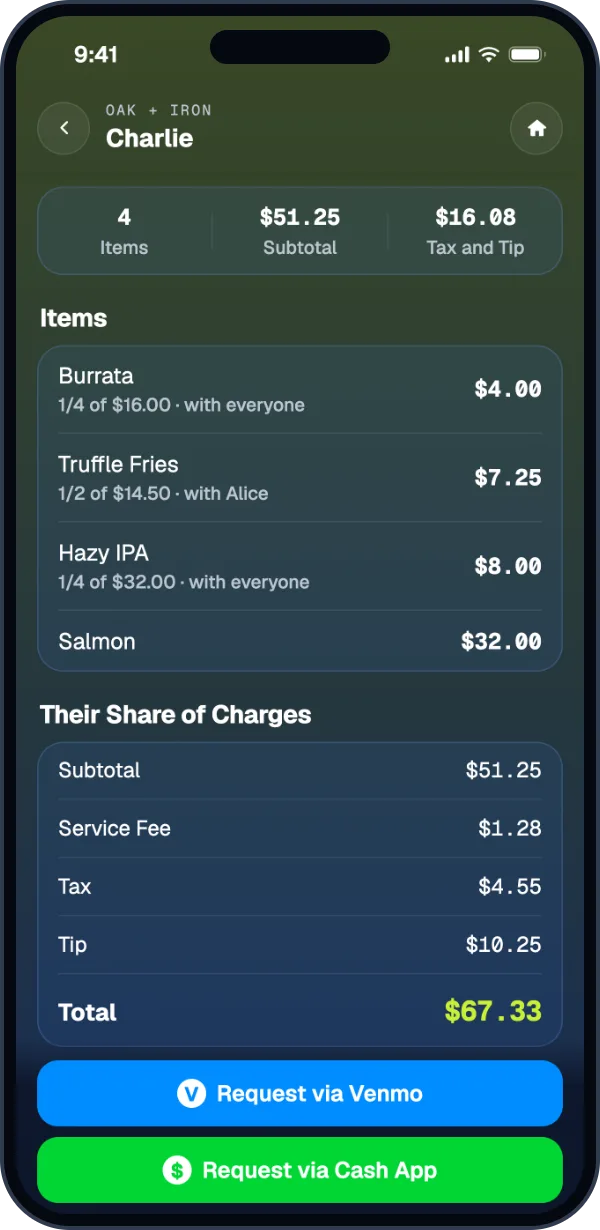
Charlie pays for what he ordered.
His items are 33.2% of the subtotal, so he pays 33.2% of the tax, tip, and service fee. Multiple tax lines, state and city, are handled separately.
Everyone picks their own items.
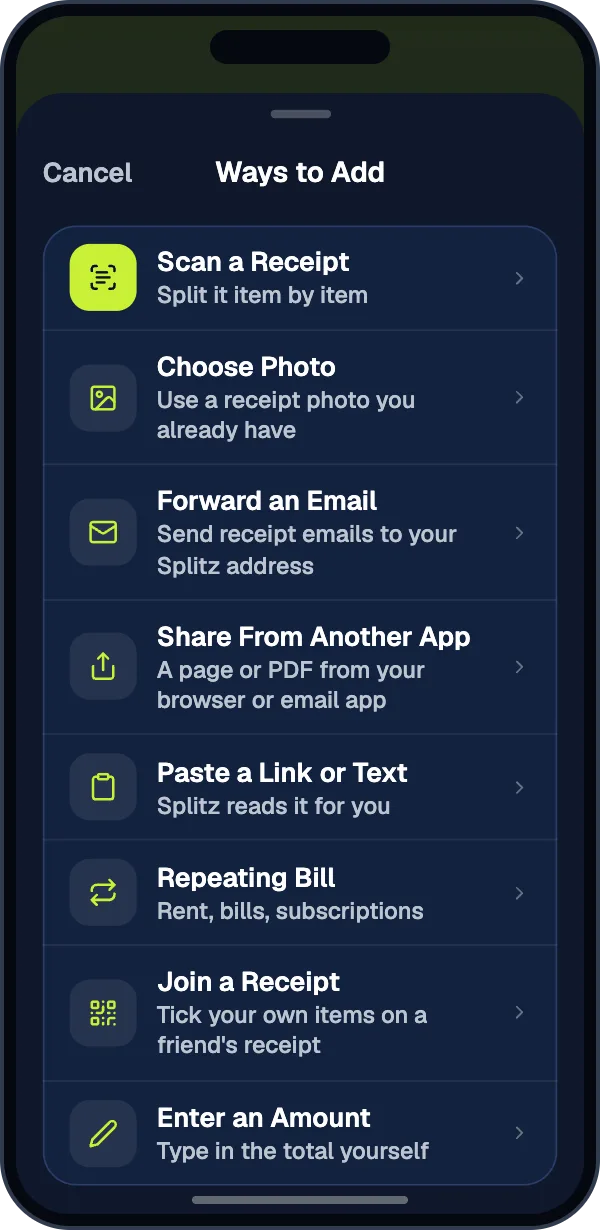
Share one code at the table and everyone ticks what they had on their own phone.
- Show a QR code, share a link, or read out the six-character code.
- People without an account join in the app with just their name.
- Watch each share fill in, then lock the receipt and tap Finish.
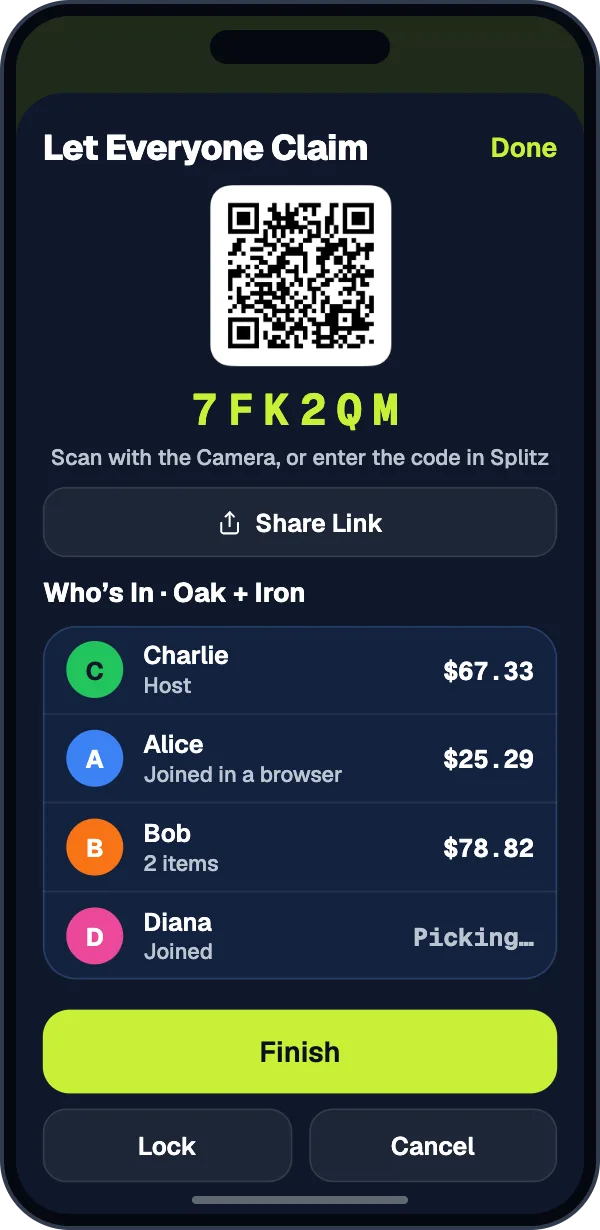
One person scans. Everyone gets their total.
Request each person’s share with Venmo or Cash App, or send it in a message.
- Request one person at a time, or everyone at once.
- Mark people paid as the money comes in.
- Add the receipt to a group later if you want to keep a running balance.
Receipts that aren’t on paper.
Choose a receipt photo, share a PDF or screenshot, paste an order link, or forward a confirmation email to your Splitz address.
- Choose Photo and Enter an Amount are always free.
- Email and shared receipts are free one at a time after a short video, or 50 a month with Pro.
Split your next bill fairly.
Scan a receipt without an account. Sign in when you want a group.